The first decision in any wholesale store is who gets in. Approve everyone and your trade prices end up in front of consumers and competitors. Make the process slow and confusing, and genuine business buyers give up before they ever place an order. A well-designed B2B registration form solves both problems.
This guide covers how to design a B2B registration form, how to verify applicants in the USA and Europe, when to approve manually versus automatically, and how to turn a newly approved account into a customer who orders online.
Key takeaways
- Collect only what you need to decide — every extra field reduces completed applications.
- Verify the business, not just the email: tax ID, VAT number via VIES, company website, trade references for credit.
- Approval should assign a customer group automatically, so the buyer immediately sees the right prices and payment methods.
- Reply fast. An application that waits three days is a lead that went to a competitor.
Why gate access at all?
Not every B2B store needs approval, but most wholesalers have at least one of these reasons:
- Protecting price integrity. Retail partners won’t stock you if consumers can buy at trade prices from your website.
- Compliance. Some products can only be sold to licensed professionals — pharmaceuticals, certain chemicals, professional tools, alcohol in some jurisdictions.
- Tax. Selling tax-exempt in the US requires a valid certificate; zero-rating a cross-border EU sale requires a valid VAT number. You need both before the first order.
- Credit risk. If approved accounts can buy on invoice, you need to know who they are first.
- Channel strategy. Distributors may have exclusive territories; you can’t sell directly to their customers.
What to put on a B2B registration form
Split fields into “required to decide” and “nice to know”. Ask for the first group at registration and gather the rest later during onboarding.
| Field | Why you need it | Required? |
|---|---|---|
| Company legal name | Invoicing, verification | Yes |
| Contact name, role, email, phone | Approval follow-up | Yes |
| Business address and country | Tax treatment, territory, shipping | Yes |
| Website | Fastest way to confirm they’re a real business | Recommended |
| Business type (retailer, distributor, installer…) | Decides which customer group to assign | Yes |
| US: sales tax / resale permit number | Tax-exempt sales | If buying for resale |
| EU: VAT number | Reverse charge on cross-border sales | If VAT-registered |
| Expected monthly volume | Prioritising applications, pricing tier | Optional |
| Trade references | Credit terms | Only if applying for terms |
| How did you hear about us? | Attribution | Optional |
Two rules make forms convert better: keep the first screen short, and explain why sensitive fields are needed (“We use your VAT number to invoice without VAT for cross-border EU orders”).
How to verify business customers
Everywhere
- Check the website and email domain. A business applying from a free email address with no website deserves a closer look — not an automatic rejection, as many small trades work this way.
- Search the company register. Most US states have searchable business entity databases; in Europe, national registers (for example Companies House in the UK) are free to search.
- Look for a physical presence if you sell to retailers: storefront, listings, social profiles.
USA: resale certificates
If the buyer wants to purchase tax-free for resale, collect a resale or exemption certificate and keep it on file. Many states accept the Streamlined Sales Tax certificate or the Multistate Tax Commission’s uniform resale certificate, but rules and renewal periods vary by state. A certificate number on a form is not the same as a valid certificate on file. See resale certificates for B2B stores.
EU: validate VAT numbers with VIES
The European Commission’s VIES service confirms whether an EU VAT number is valid for cross-border transactions. Check it at registration and keep the result (with date) as evidence. A VAT number that fails VIES shouldn’t unlock VAT-free invoicing. See how to validate VAT numbers with VIES.
Manual vs automatic approval
| Manual approval | Automatic approval | |
|---|---|---|
| Control | Full — a person reviews every account | Rule-based |
| Speed | Hours to days | Instant |
| Best for | Price-sensitive, regulated or credit-based selling | High volume, low risk, card-only ordering |
| Risk | Slow replies lose leads | Wrong customers see trade prices |
A hybrid works well for many stores: approve automatically when the VAT number validates or the email domain matches a known customer, and send everything else to manual review.
What happens on approval
Approval should do three things automatically:
- Assign the customer group (Wholesale, Distributor…), so prices, minimums and payment methods switch instantly.
- Apply tax status — exempt in the US if a valid certificate is on file; VAT number stored in the EU.
- Send a welcome email that tells the buyer what to do next.
On WooCommerce, B2B Registration & Approval adds custom registration fields, keeps new registrants pending until approved, and assigns the role on approval. Combine it with role-based pricing and VAT number and tax exemption so the approved buyer’s experience changes completely the moment they’re approved.
What pending and rejected users should see
- Pending: a clear message (“Your application is under review — we usually reply within one business day”), and a way to contact you. Don’t show trade prices.
- Rejected: a polite explanation and an alternative — retail ordering, or a local distributor. A rejected applicant may be a future customer or a referral.
Onboarding: turning approvals into orders
Approval is where many wholesale stores stop — and where many accounts go quiet. A short onboarding sequence helps:
- Welcome email: login link, their price group, minimum order, payment options, and a link to the quick order form.
- First-order help: offer to load their usual order for them, or to send a price list with their own prices.
- Team setup: invite colleagues as sub-users if you support company accounts.
- Check-in after 30 days: a quick call or email to ask what’s missing.
Privacy and data
Registration forms collect personal data about the contact person. In the EU and UK, the GDPR applies even in B2B: tell applicants what you collect and why, keep it only as long as needed, and protect stored documents such as certificates. In the US, state privacy laws are expanding; keep collection proportionate.
Common mistakes
- Too many required fields on the first screen.
- No notification to your team when an application arrives.
- Approval without a role, so the buyer logs in and still sees retail prices.
- Collecting tax IDs but never validating them.
- Silence after registration — no message about how long approval takes.
Example: an approval workflow that scales
Here’s a workflow that suits many small and mid-sized wholesalers. It approves trusted applicants quickly while keeping a human in the loop for anything unusual.
| Applicant signal | Action | Group assigned |
|---|---|---|
| EU VAT number valid in VIES and company website matches | Approve automatically | Wholesale |
| US resale certificate uploaded and complete | Approve, mark tax-exempt after review | Wholesale |
| Email domain matches an existing customer | Approve automatically as a colleague | Same as company |
| Business type “Distributor” | Manual review by sales | Distributor, if approved |
| Free email address, no website, no tax ID | Manual review; request more information | — |
| Application from outside your sales territories | Manual review; refer to local distributor | — |
Start with manual approval for everything, then automate the cases you approve every time. Rules built from real decisions are far safer than rules written up front.
Measuring your registration funnel
- Form starts vs submissions: a large drop-off usually means too many required fields.
- Time to approval: track the median, not the average; one stuck application can hide a slow process.
- Approval rate: a very low rate may mean your site attracts consumers; tighten the messaging (“trade accounts only”).
- Approved accounts that order within 30 days: the real measure of onboarding.
Registration is one part of a wider B2B setup — see the complete guide to B2B ecommerce for how it fits with pricing, payments and tax.
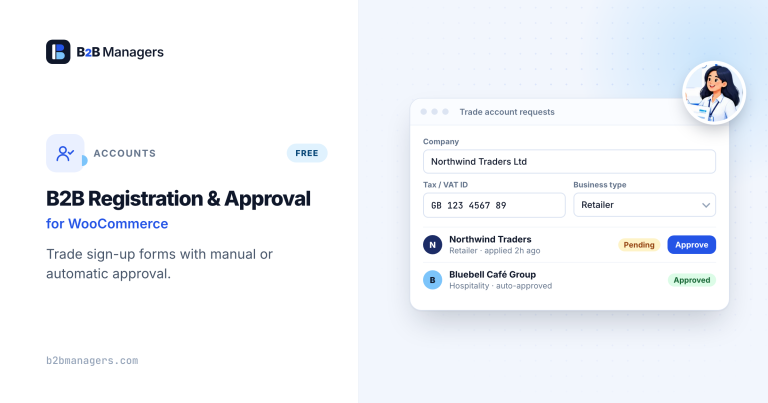
B2B Registration & Approval for WooCommerce
A B2B registration form with your own custom fields and manual account…
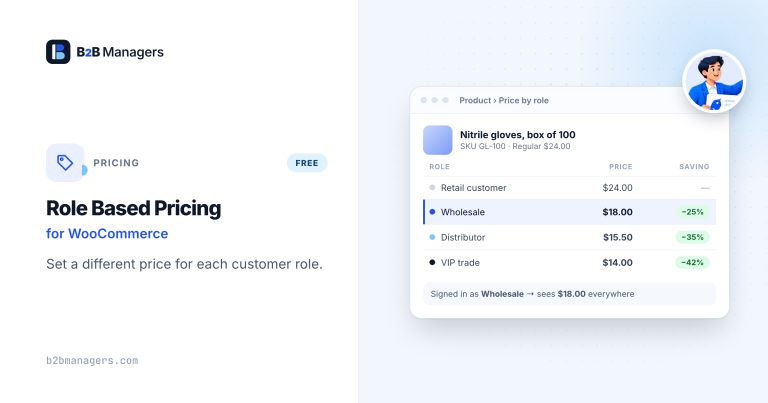
Role Based Pricing for WooCommerce
Different prices for every customer role — percentage or fixed discounts, fixed…
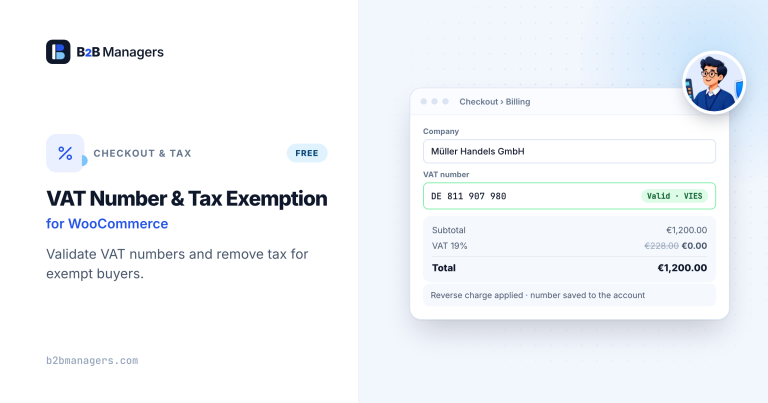
VAT Number & Tax Exemption for WooCommerce
Collect VAT numbers at checkout with per-country format validation, and mark trusted…
Frequently asked questions
How long should approval take?
Aim for the same business day. If you can’t, say so on the pending screen and in the confirmation email.
Should I require a VAT number from every EU customer?
Only if you only sell to VAT-registered businesses. Some legitimate small businesses aren’t VAT-registered; they can still be trade customers but won’t qualify for VAT-free cross-border invoicing.
Can existing customers be imported as approved?
Yes. Import them with the right role already assigned, then send a “your online account is ready” email with a password-setup link.
Should a B2B registration form include a credit application?
Usually not. Keep the B2B registration form short so genuine buyers finish it. Then send a separate credit application only to approved accounts that ask to pay on terms.