
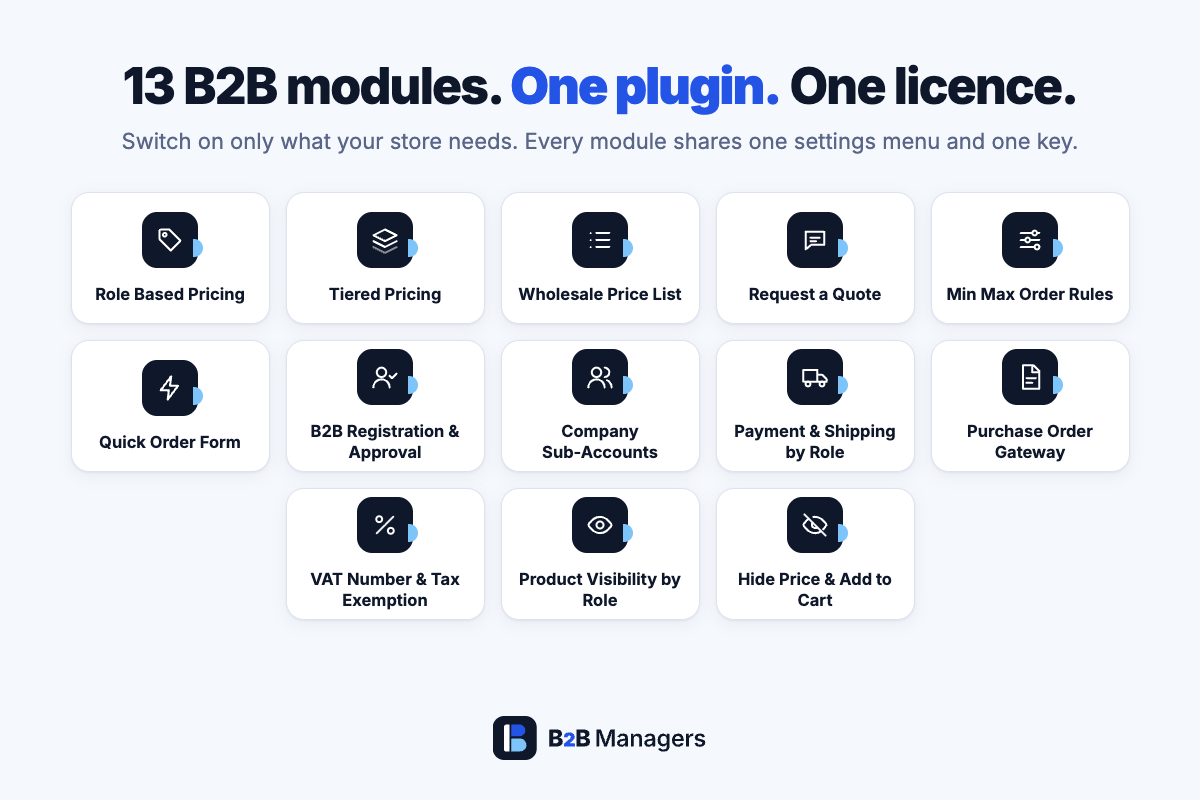
Selling to trade customers on WooCommerce usually means stacking five or six plugins from different vendors and hoping they agree with each other about prices. B2B Managers Suite replaces the stack with one plugin: thirteen B2B modules built together, managed from one menu and unlocked by one licence.
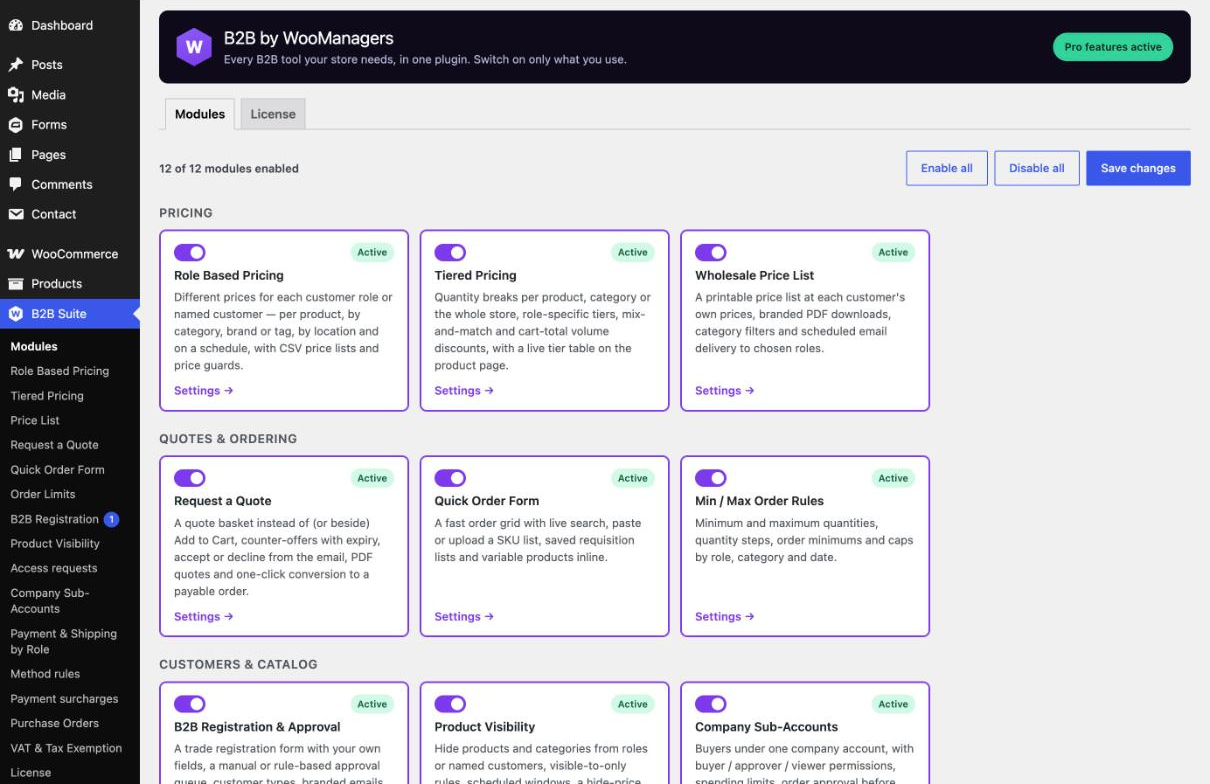
Switch on only what your store needs. A module that is switched off is not loaded at all, so you never pay in performance for features you do not use — and you can turn any module on later without installing anything new.
Every module is the full Pro version of a B2B Managers plugin. Retail visitors keep seeing your normal prices and checkout; approved trade customers get their own prices, catalog, order rules and payment methods — all from one WooCommerce store.
Founding customer price. $99/year for the first 100 customers — and it stays at that price for as long as you renew. 100 of 100 places left.
Thirteen Modules, One Plugin
Pricing
Role Based Pricing
Give every customer role — or a named customer — its own prices.
- Per-product role prices and CSV price lists
- Target by category, brand or tag, customer location and schedule
- Per-customer pricing, exclusions and minimum-price guards
- Original price struck through, and prices hidden from guests
Tiered Pricing
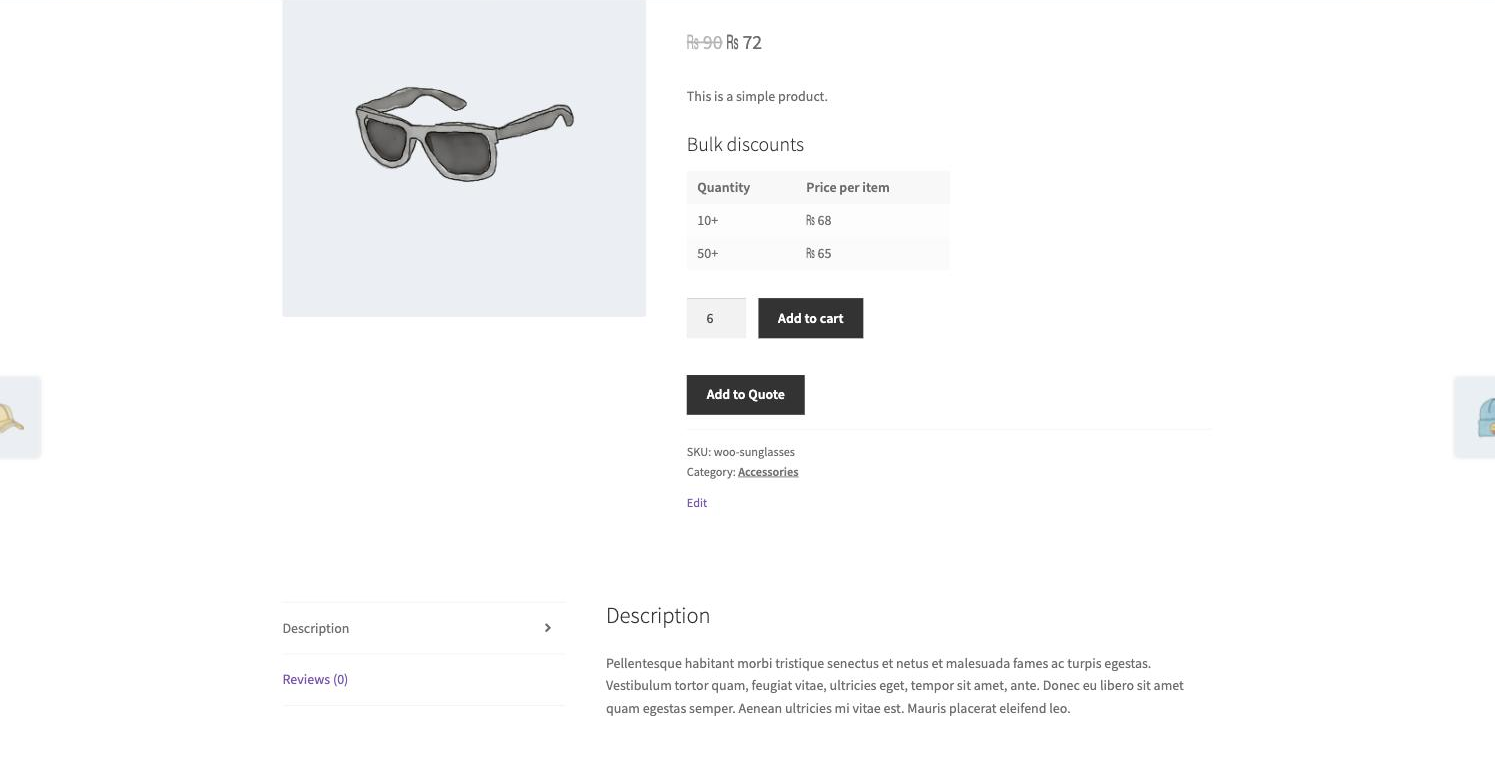
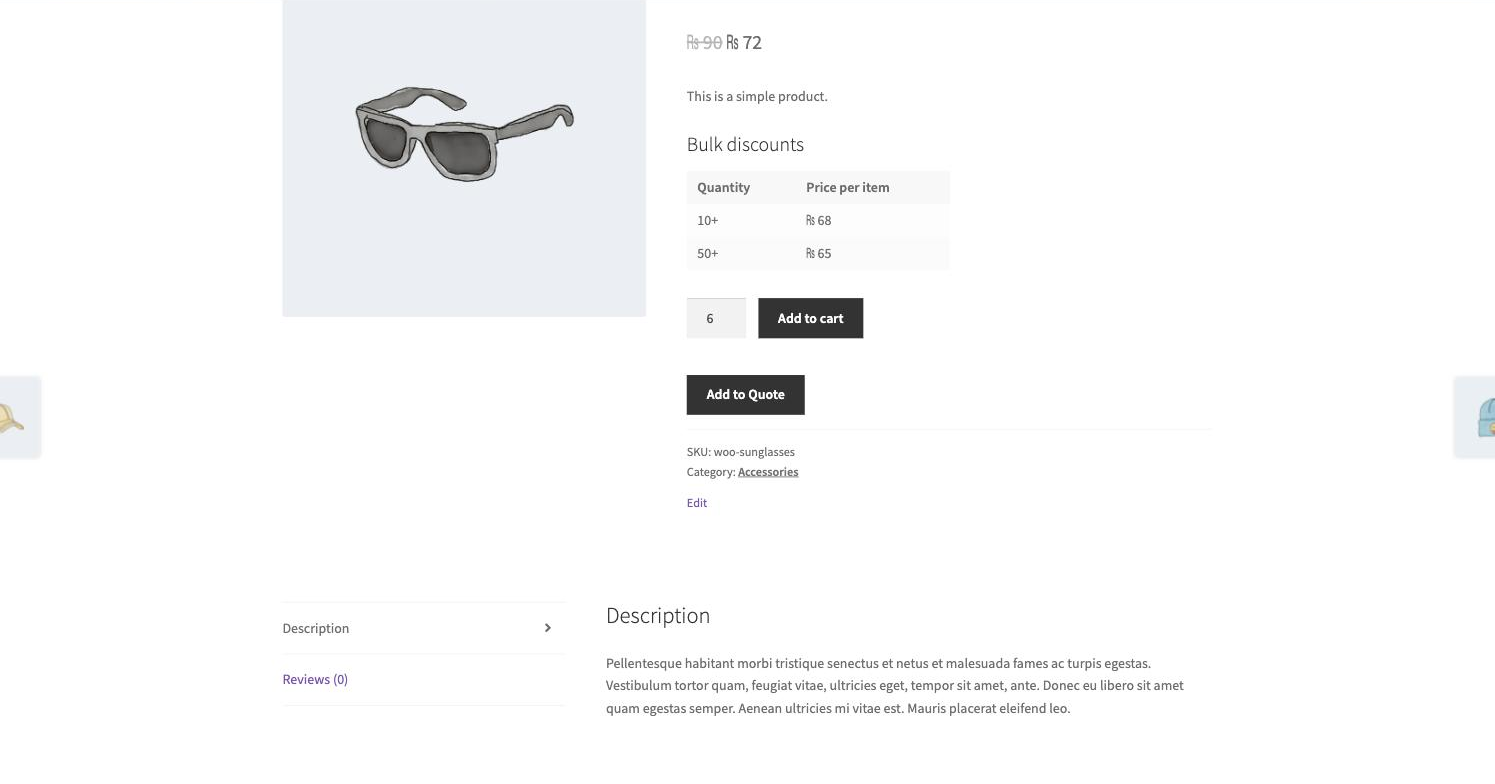
Quantity breaks that update the price live as the buyer changes the quantity.
- Tier tables per product, per category or storewide
- Role-specific tiers and scheduled tiers
- Mix-and-match and cart-total volume discounts
- Import and export every tier as CSV

Wholesale Price List
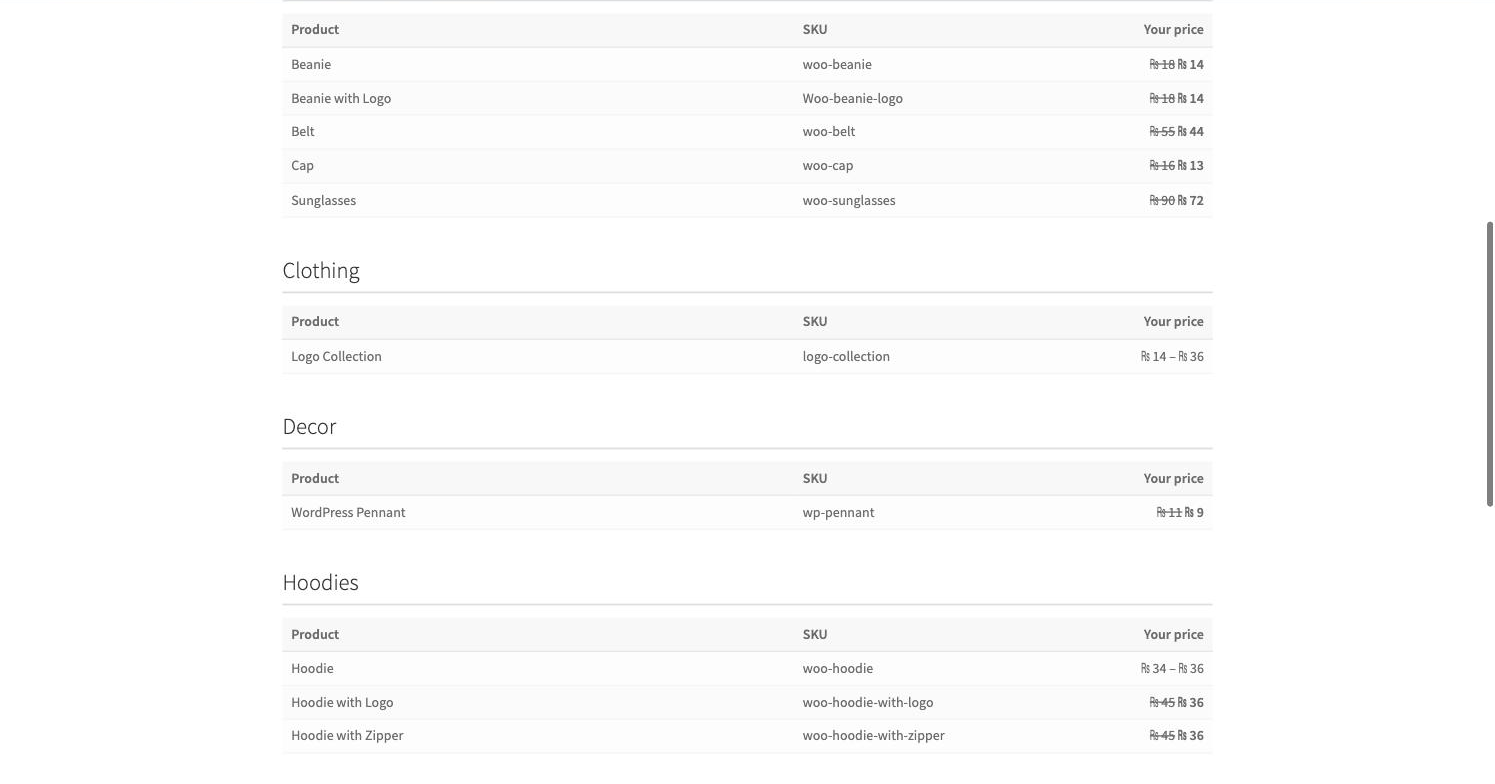
A printable price list showing each customer their own prices.
- Branded PDF price lists
- Category filters, stock and description columns
- Scheduled email delivery to chosen roles
Ordering
Request a Quote
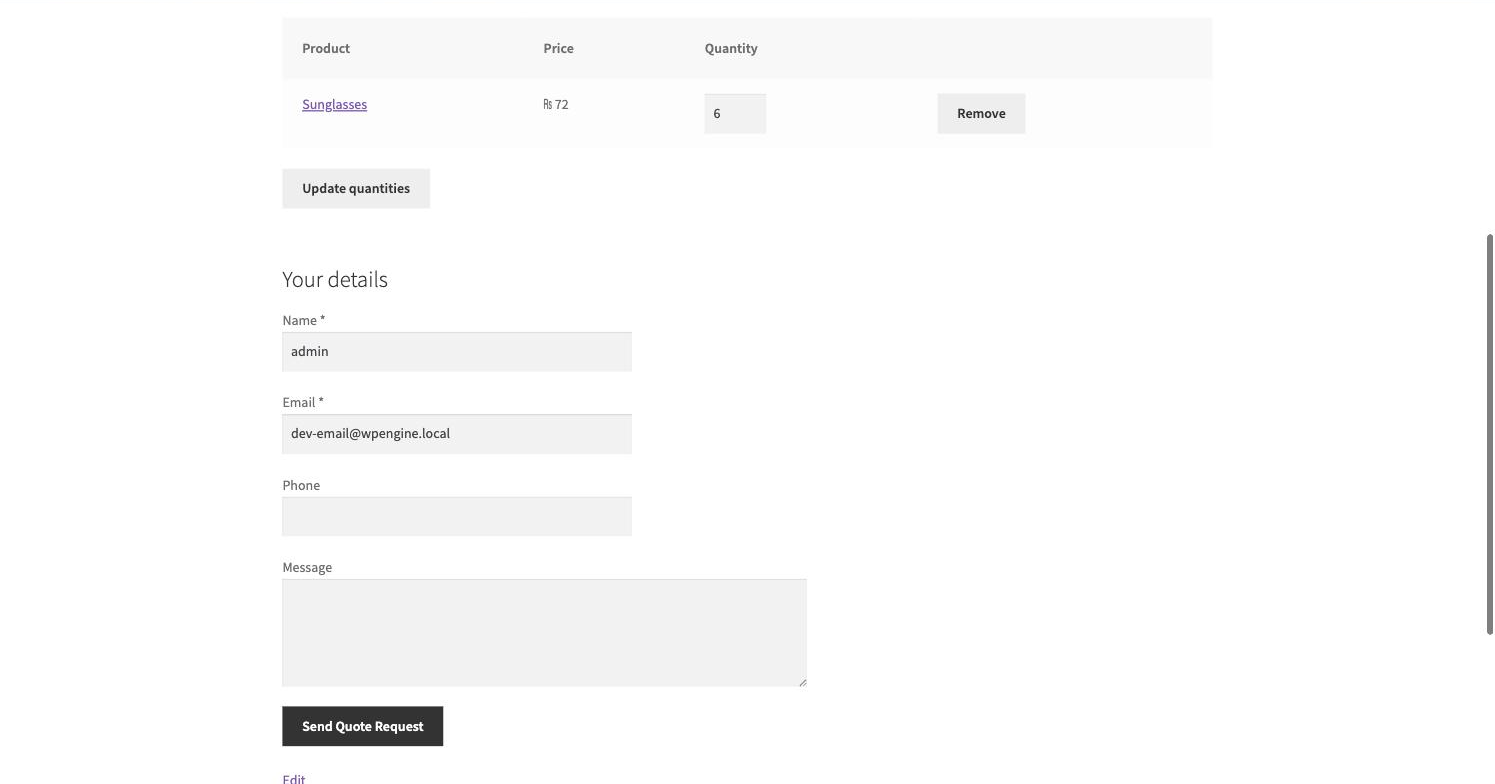
A quote basket beside — or instead of — Add to Cart.
- Reply with a counter-offer and an expiry date
- Customers accept or decline straight from the email
- Accepted quotes become payable orders in one click
- PDF quotes, custom fields and a My Quotes area
Quick Order Form
One-page ordering for buyers who know exactly what they want.
- Live search by product name or SKU
- Paste or upload a SKU list
- Saved requisition lists with one-click reorder
- Variable products right in the grid, and a report of any line that could not be added

Min / Max Order Rules
Quantity and order-value rules that match how you actually sell.
- Minimum, maximum and step quantities
- Rules by role, category and date
- Order minimums and caps per role
- Category quantity limits across the whole basket
Accounts
B2B Registration & Approval
A trade registration form and an approval queue.
- Field builder with conditional fields per customer type
- Auto-approve or auto-reject by email domain, country or field value
- Branded approval emails, with a reason when you reject
- Bulk decisions and applicant CSV export

Company Sub-Accounts
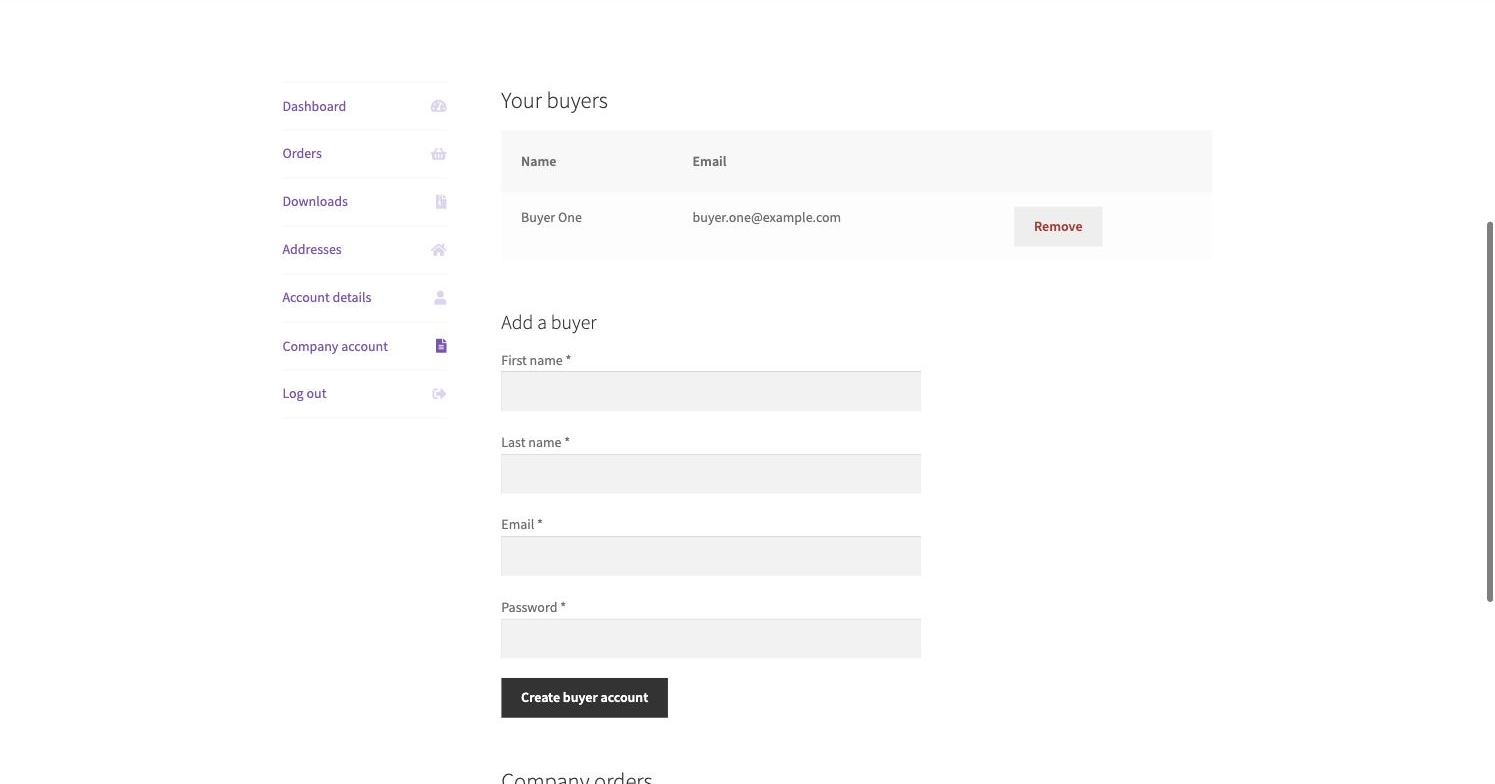
Several buyers under one company account.
- Buyer, approver and viewer permissions
- Per-buyer spending limits
- Orders held for approval before payment
- Department cost centres on every order
Checkout & tax
Payment & Shipping by Role
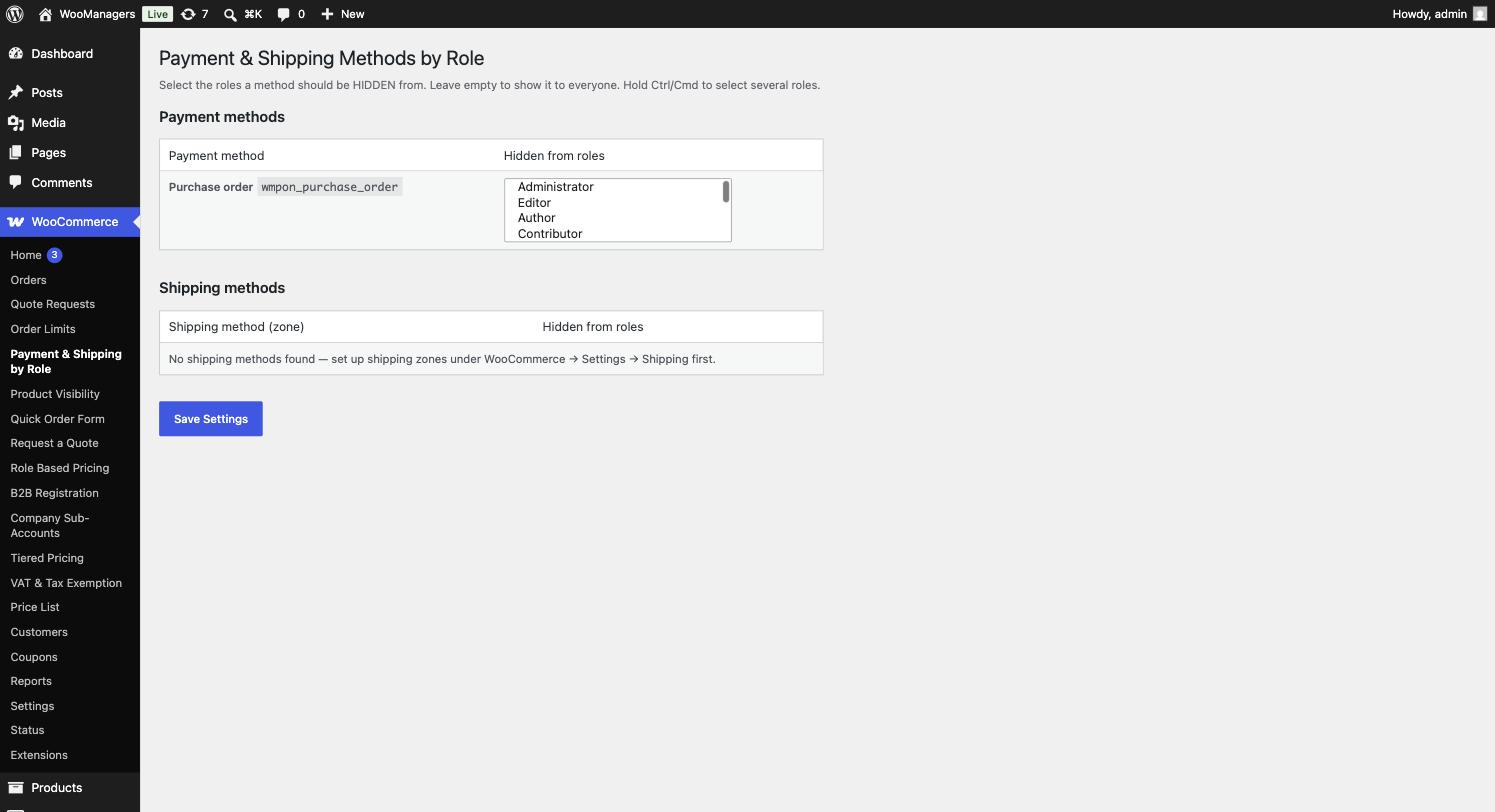
The right payment and shipping methods for each customer.
- Show or hide methods by role or named customer
- Conditions on country, cart value and basket contents
- Surcharges or discounts per payment method
Purchase Order Gateway
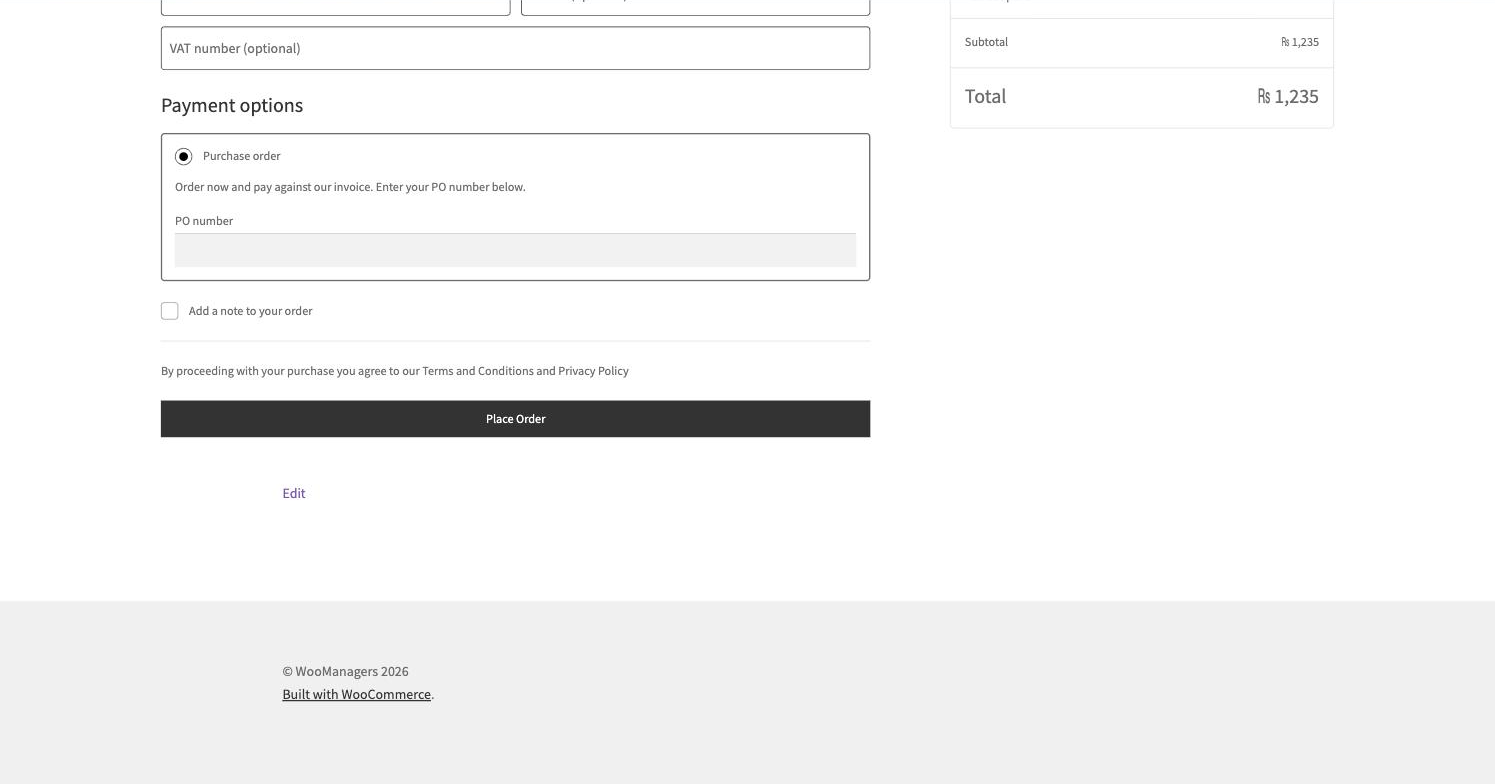
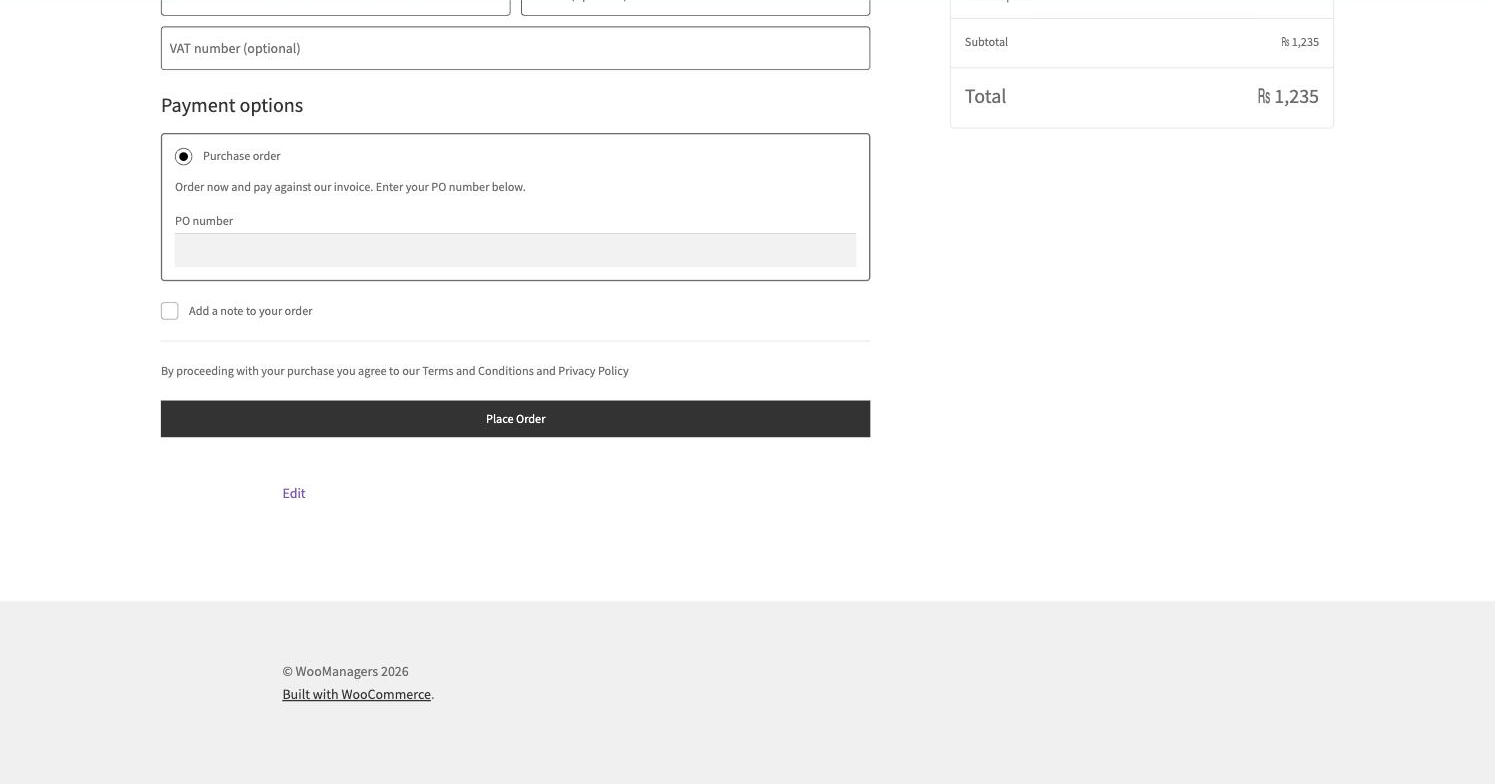
Let approved customers pay by purchase order.
- Limit PO payment by role or customer
- Per-customer credit limits with a live outstanding balance
- PO number format and uniqueness rules
- Payment terms with due dates, and an unpaid-PO report with reminders
VAT Number & Tax Exemption
Collect VAT numbers and exempt the right customers from tax.
- Real-time EU VIES verification
- Automatic cross-border zero-rating with reverse-charge wording
- A stored audit trail with consultation numbers
- A review list for numbers that could not be confirmed
Catalog
Product Visibility
Decide who can see which products and categories.
- Hide from guests, roles or named customers — or show only to them
- Target by product, category or tag, with scheduled windows
- Soft mode keeps the page visible but hides the price
- An access-request form that turns a blocked visitor into a lead

Hide Price & Add to Cart
Control who sees prices, and who can buy.
- Hide prices and the Add to Cart button by product, category, tag, brand, user or role
- Replace them with your own text, a link button or an enquiry form (Contact Form 7, WPForms or Gravity Forms)
- Target visitors by country, exclude roles and schedule rules
- Keeps hidden prices out of Google’s structured data
Why One Suite
- One licence, one update. A single key unlocks the Pro features of all thirteen modules, and the whole suite updates from the normal WordPress Updates screen.
- Built to work together. Role prices, quantity tiers, order rules and payment rules come from one team and one codebase, so they stack predictably instead of fighting each other.
- Only what you switch on. Modules that are off are not loaded, so the suite costs nothing in speed for the features you do not use.
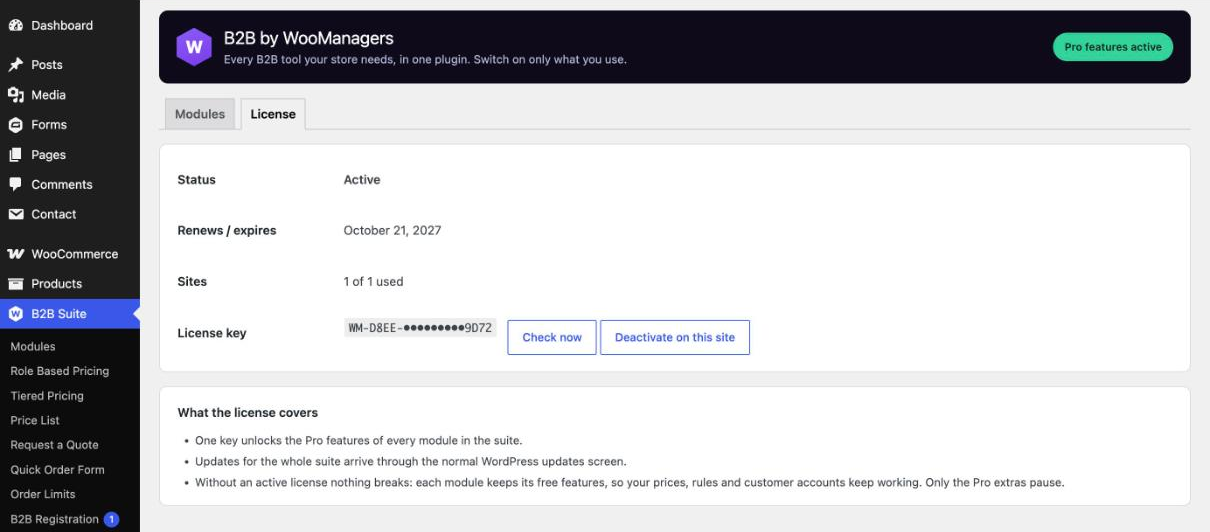
- Nothing breaks when a licence lapses. Each module drops back to its free feature set — your prices, rules and customer accounts keep working. Only the Pro extras pause until you renew.
- Moves in, settings and all. Already running any of the separate B2B Managers plugins? Activate the suite and it switches on the matching modules, retires the separate copies and keeps every rule, quote and customer record.
How It Works
- Buy the suite — your licence key and download link appear on the order page and in your order email.
- Upload the zip under Plugins → Add New → Upload Plugin and activate it.
- Go to B2B Suite → Modules and switch on the modules you need.
- Go to B2B Suite → License and paste your key.
- Each module adds its own screen to the B2B Suite menu. Anything it needs — a quote page, a registration page, customer roles — is created for you.
Inside the Plugin
Frequently Asked Questions
How is this different from buying the separate plugins?
It is the same code as the thirteen B2B Managers Pro B2B plugins, delivered as one plugin with one menu, one licence, one update and one price.
Do I have to use all thirteen modules?
No. Switch on only what you need from B2B Suite → Modules. Modules that are switched off are not loaded, and you can turn them on at any time.
I already use the free B2B Managers plugins. Will I lose my settings?
No. When you activate the suite it switches on the matching modules, deactivates the separate plugins and keeps every setting, rule, quote and customer record they had.
What happens if my licence expires?
Nothing breaks. Every module keeps running with its free feature set, so prices, rules and customer accounts keep working. The Pro extras pause until you renew.
How many sites can I use it on?
One licence covers one live site. Moving to a new site? Deactivate the licence on the old one under B2B Suite → License and activate it on the new one.
What is the founding customer price?
The first 100 customers pay $99 a year instead of $199 — and keep paying $99 for as long as they renew. Once 100 licences are sold, the price returns to $199 a year.
Can I cancel?
Yes, any time from your account. Everything keeps working until the end of the year you have paid for.
Can I try it before I buy?
Yes. Each module grew out of a free B2B Managers plugin, so you can start with the free versions — when you move to the suite, it picks up their settings automatically.
Does it support HPOS?
Yes. The suite and every module are compatible with WooCommerce High-Performance Order Storage.
Do I get updates and support?
Yes. Your licence includes a year of updates through the WordPress Updates screen and priority email support, renewed each year with your licence.
Licence & Support
One licence covers one site and includes a year of updates and priority email support. It renews automatically each year at the price you paid, and you can cancel from your account at any time.
Requirements
- WordPress 6.2 or newer
- WooCommerce 7.0 or newer
- PHP 7.4 or newer
- HPOS (High-Performance Order Storage) compatible